LIMS Systems: How to Choose the Right Platform
TL;DR: Diagnostic labs still lose hours daily to manual result entry because their LIMS Systems and instruments do not talk to each other. A properly connected lab information system software setup removes rekeying, closes compliance gaps, and gives lab directors real-time specimen visibility across every site.
Most labs do not fail inspections because staff work carelessly. They fail because their LIMS Systems were never built to control the workflow, only to record it after something already went wrong. A spreadsheet next to an analyzer is not a system; it is a workaround that eventually breaks under volume.
This guide skips the basic definitions and focuses on workflow automation, HL7 connectivity, compliance design, and how to evaluate a lab information system software vendor before you sign anything. If your current setup cannot show you where a specimen sits right now, keep reading.
What a LIMS Actually Does in a Diagnostic Laboratory
LIMS Systems manage the full path a specimen takes, from the moment an order is placed to the moment a validated report leaves the lab, and they enforce rules at every step rather than just logging what happened.
The Laboratory Workflow in One Pass
|
Stage |
What Happens |
Who Touches It |
|
Order |
Test request created |
Ordering physician |
|
Accessioning |
Specimen logged, barcoded |
Front desk staff |
|
Tracking |
Location and status updated |
Lab technicians |
|
Testing |
Analyzer runs the sample |
Instrument |
|
QC |
Results checked against rules |
System, then reviewer |
|
Reporting |
Validated report released |
Pathologist or director |
A working LIMS Systems platform links every row above so nothing moves forward without meeting the rule set for that stage. This is closer to specimen tracking software than to generic lab inventory tools, since the goal is chain of custody, not just stock counts.
LIMS vs LIS vs Hybrid Platforms
|
Platform |
Best fit |
Primary focus |
|
LIS |
Hospitals & clinical labs |
Patient data, orders, and clinical results |
|
LIMS |
Diagnostic & reference labs |
Specimen tracking, testing, and lab workflows |
|
Hybrid |
Labs with mixed workflows |
Combines clinical and laboratory operations |
Choose based on workflow, test volume, integrations, and operational needs—not the platform label alone.
When Basic Lab Software Stops Being Enough
Basic lab information system software tracks that something happened. It does not stop the wrong thing from happening, and that gap is exactly where diagnostic labs get hurt during audits and busy shifts.
Signs Your Current System Is Undersized
- Staff re-enters the same result in two different screens.
- Specimen location lives in a shared spreadsheet.
- Analyzers sit disconnected from the main system.
- Reconciliation happens weekly instead of automatically.
- Nobody can answer "where is this sample right now" in under a minute
Any lab hitting three or more of these points has already outgrown its LIMS Systems setup, even if leadership has not admitted it yet.
Tracking Work vs Controlling Work
|
Approach |
What the system does |
Why it matters |
|
Tracking work |
Records that a QC step was skipped. |
Creates an audit trail but may not prevent errors. |
|
Controlling work |
Blocks result release until required QC passes. |
Prevents workflow errors before they affect results. |
|
What labs need |
Enforces critical steps with rules and holds. |
Turns compliance from documentation into prevention. |
A strong lab information system software should not just report that a control failed; it should stop the workflow when the control matters.
The Diagnostic Lab Workflows a Modern LIMS Should Automate
LIMS Systems built for 2026 volumes use healthcare workflow automation to connect specimen tracking, order routing, and result validation while removing manual handoffs.
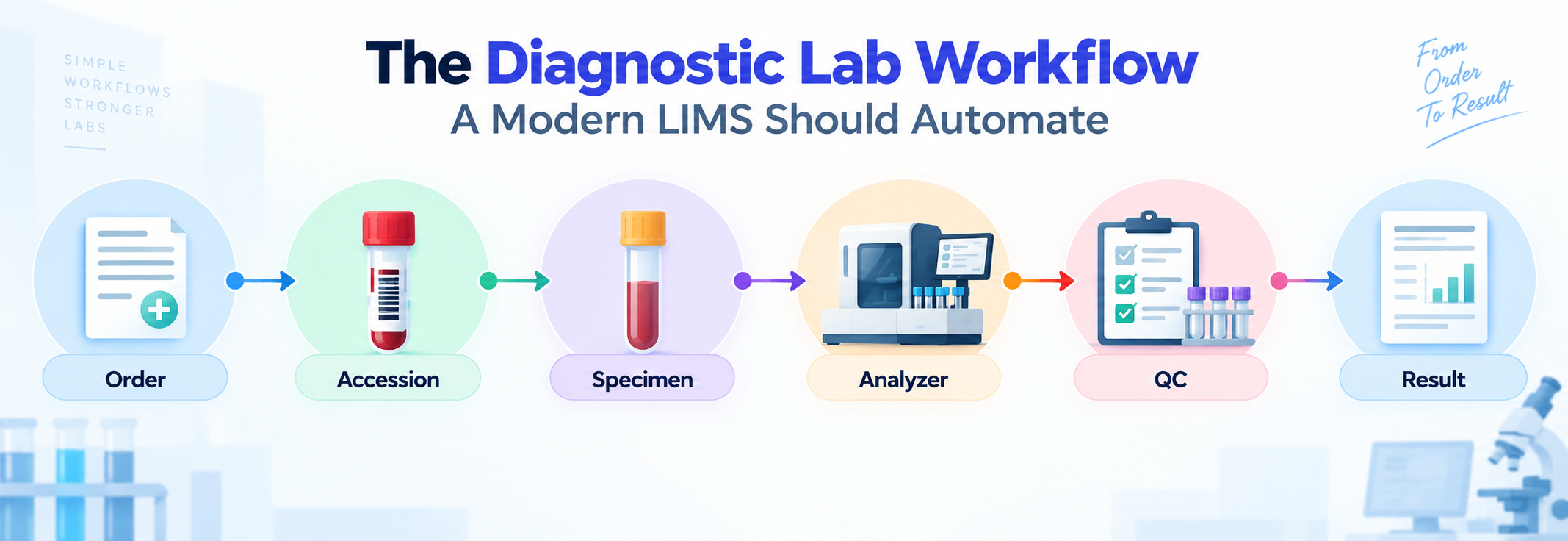
Specimen Tracking and Chain of Custody
Barcode scanning identifies every tube the second it enters the building. The system logs location, status, and every transfer between departments automatically.
Aliquots inherit the parent specimen's history, so a split sample never loses its audit trail inside the LIMS Systems record.
Lab Order Entry and Test Routing
Electronic orders: Orders arrive directly without faxed paperwork.
Reflex testing: Test panels automatically trigger required reflex tests.
STAT prioritization: STAT samples automatically move to the front of the queue.
Dynamic work queues: Queues automatically organize work by priority and analyzer availability.
Result Validation and Exception Management
Results capture straight from the analyzer, get checked against reference ranges, and flag automatically when a value crosses a critical threshold.
A QC failure holds the result. Nothing reaches a report until someone with approval rights signs off, which is the exact control basic lab information system software usually skips.
HL7, FHIR and Instrument Connectivity
LIMS Systems connect to the outside world through HL7 ORM and ORU messages and FHIR resources, making healthcare data integration essential for eliminating manual result entry.
Bidirectional Interfaces and Automated Order to Result Flow
An HL7 ORM message sends the order into the lab, while the ORU message sends the finished result back to the EHR, supported by API-first healthcare integration where modern systems require it. LOINC codes keep both systems speaking the same language about what test was actually run.
Without this loop, staff manually copy results between the LIMS and electronic health records applications, creating another opportunity for a critical value to be delayed or entered incorrectly.
Analyzer Integration and Middleware
|
Connection Type |
Direction |
Best Fit |
|
Direct interface |
Two way |
High volume analyzers. |
|
Middleware layer |
Two way |
Mixed instrument fleets. |
|
Manual entry |
None |
Low volume, legacy tools. |
A vendor claiming generic "instrument integration" means nothing until they list your exact analyzer models. Ask for the list before the demo, not during it, because this single question filters out most vendors whose LIMS Systems claims do not match their real interface library.
What Poor Integration Creates
Poor connectivity forces staff to rekey values, run manual reconciliation at shift end, and absorb result delays that stack up across a busy day.
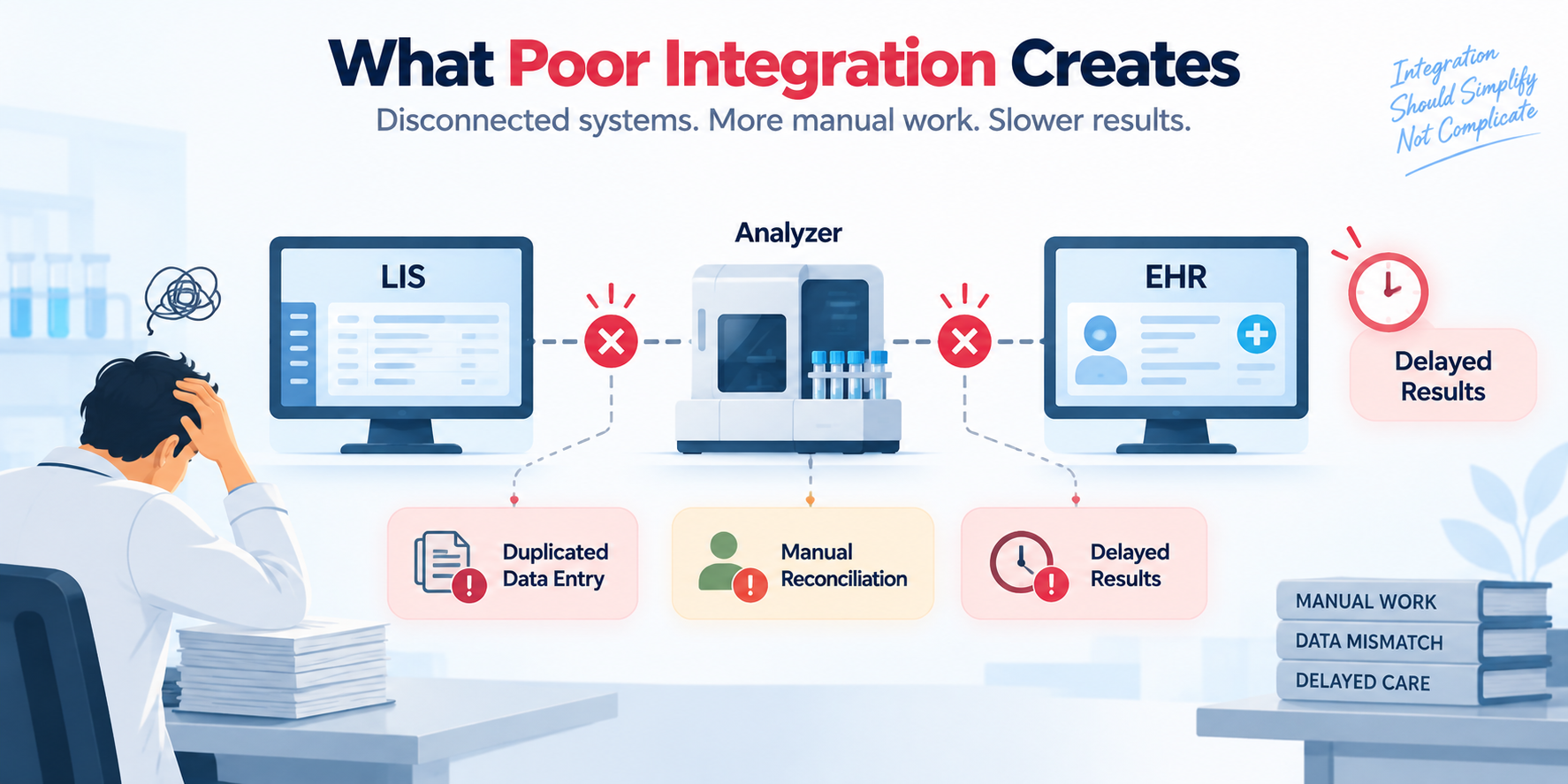
Interface failures then pull IT support into a problem that should never have existed in a properly built lab information system software environment.
Compliance and Data Integrity by Design
LIMS Systems built for regulated labs should support CLIA requirements for laboratory testing within the workflow, making compliance part of normal operations rather than a separate checklist before an inspection.
What CLIA and CAP Requirements Mean Operationally
- Audit trails record who touched a result and when. Role-based access limits who can approve a report. Electronic signatures replace ink on the release step.
- Validation records prove the system was tested before go-live, and change control logs prove nothing shifted quietly afterward.
Prevention vs Documentation
- A system that documents an error tells you what already went wrong.
- A healthcare compliance software approach built into your LIMS Systems can stop an invalid result before it reaches a patient chart.
- That difference is the entire point of paying for a real platform instead of a spreadsheet with a login screen.
End to End Data Integrity
- Who acted.
- What exactly changed.
- When the change happened.
- Who approved the final result.
- How the full specimen history stays intact.
Compliance built this way survives an inspector's questions because the proof already lives inside the system, not in a binder assembled the night before.
How to Evaluate LIMS Systems Before You Buy
Choosing LIMS Systems correctly starts with matching the platform against your real workflow volumes and instrument list, not against a glossy feature sheet the vendor hands you during the first call.
Evaluate Workflow Fit
Map the software against your actual specimen volume, test volume, site count, and staff count.
List every manual process the new LIMS Systems platform must remove on day one.
A vendor with two hundred features you will never touch is not a better fit than one with forty features that match your lab exactly.
Make Vendors Demonstrate Your Actual Workflow
Require every vendor to walk order through accession through specimen through instrument through QC through validation through report, using your terminology.
Then ask them to demonstrate what happens when a step fails, since any vendor can show you the happy path.
Verify Integration Validation and Support
Ask for their real interface experience with your exact analyzers.
Clarify who owns validation testing, you or the vendor, and what software testing and QA services are included before go-live.
Confirm migration timeline and data mapping responsibility.
Ask directly who answers the phone when an interface breaks at 2 am.
A lab information system software vendor who hesitates on that last question is telling you exactly what post-launch software support and maintenance will feel like.
The Real Cost of Choosing the Wrong LIMS
Wrong fit LIMS Systems decisions cost far more after signing than before, because the license price is the smallest line item in the total bill a lab actually pays.
Where Laboratory Resources Are Lost
Manual data entry eats staff hours daily. Rework follows every reconciliation error. Specimen investigation pulls technicians away from testing.
Interface troubleshooting becomes a recurring IT ticket, and inspection preparation turns into a multi-week scramble every single cycle.
Look Beyond the Software License
|
Cost Category |
Often Overlooked |
|
Implementation |
Yes |
|
Integration work |
Yes |
|
Data migration |
Yes |
|
Validation testing |
Yes |
|
Staff training |
Yes |
|
Ongoing support |
Yes |
Compare LIMS Systems vendors on total cost of ownership across three years, because the cheapest license almost always hides the most expensive implementation.
When Is It Time to Replace Your Current LIMS
Replace LIMS Systems when the platform itself has become the bottleneck, after ruling out configuration, integration, workflow, and training issues.
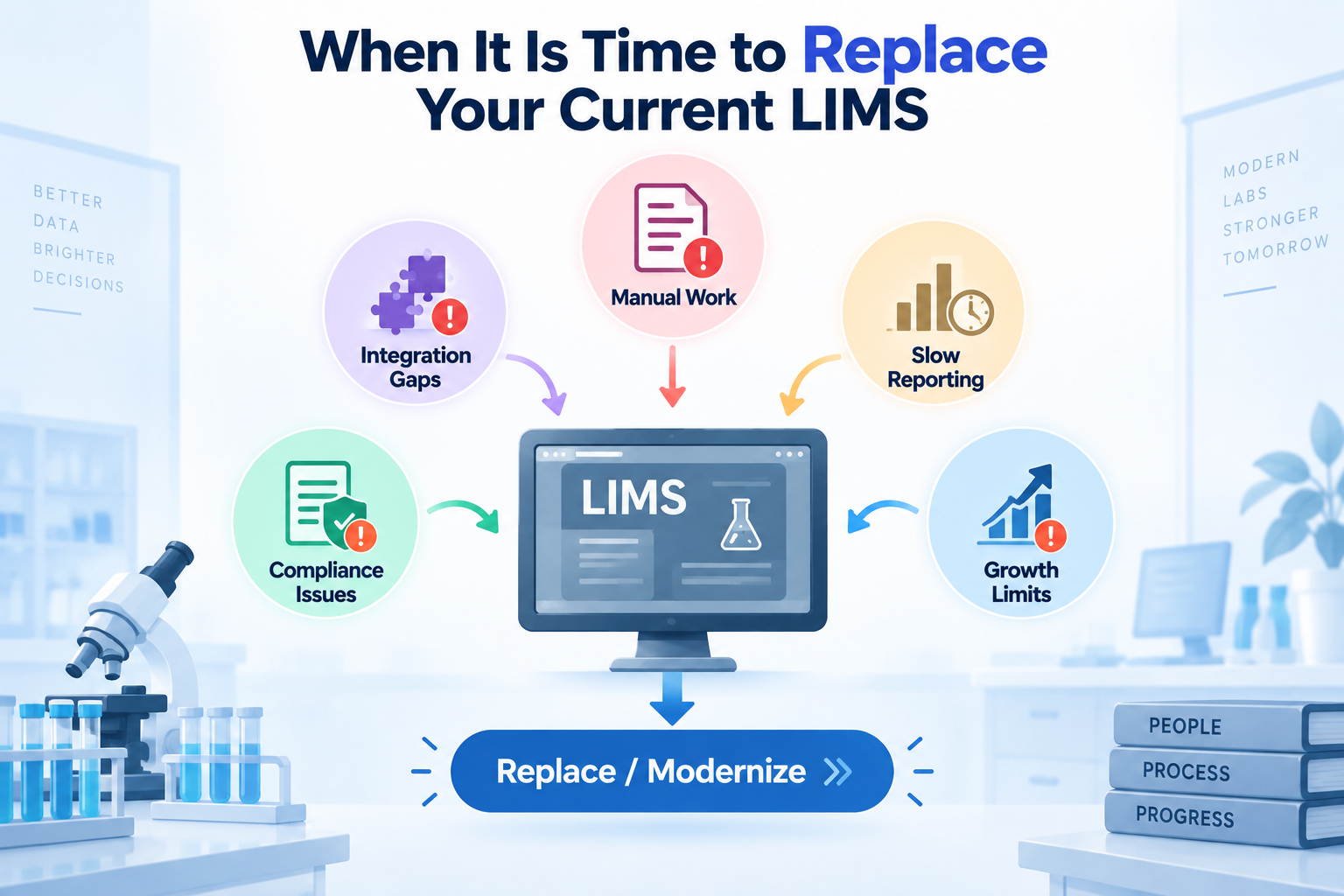
Signs the Existing Platform Has Become a Bottleneck
Manual work keeps increasing as sample volume grows, creating delays and avoidable errors.
New instruments need custom development before they can connect, making expansion slower and more expensive.
A second site cannot use the same platform without major workarounds or duplicated processes.
Reporting takes days instead of minutes because teams still depend on spreadsheets or manual exports.
Compliance findings keep recurring because the system records problems without enforcing corrective workflows.
When Replacement May Not Be Necessary
Configuration gaps may be the issue when existing features were never adapted to current workflows.
Missing integrations may be fixable when the core platform still supports the lab's requirements.
Outdated workflows can create unnecessary friction when the lab has grown but its processes have not.
Training gaps can mimic software problems when users never received adequate training after implementation.
A targeted fix may cost less than replacement when a capable lab information system software platform only needs focused improvements through custom software development services.
A Practical LIMS Evaluation Framework for Laboratory Leaders
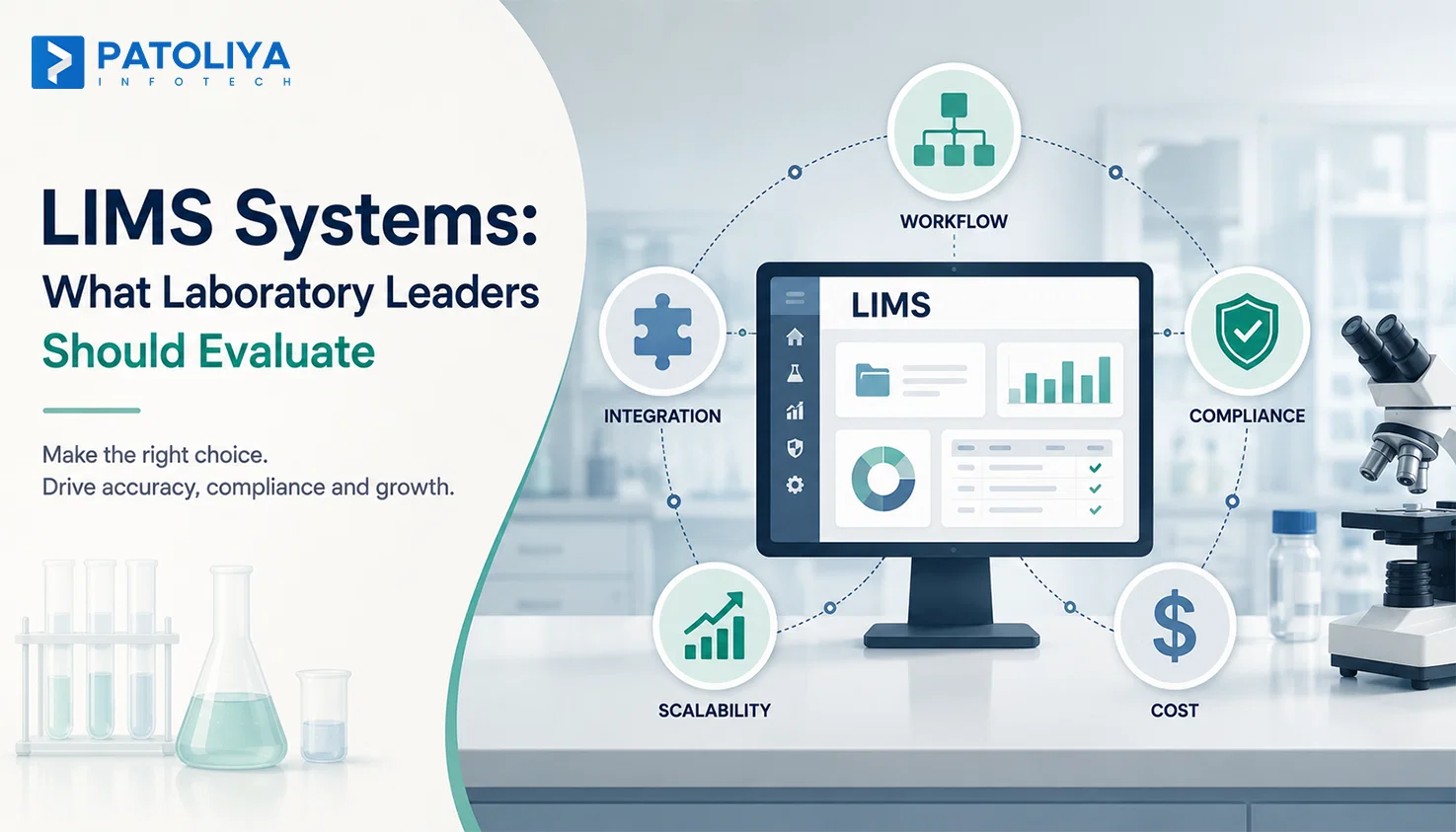
Scoring LIMS Systems vendors across six fixed categories removes gut feeling from the decision and gives your leadership team a paper trail for why you chose the platform you chose.
Score Vendors on Six Decision Areas
|
Category |
What to Check |
|
Workflow fit |
Matches your real process. |
|
Integration |
Covers your actual analyzers. |
|
Compliance |
Built in. |
|
Scalability |
Handles growth and new sites. |
|
Implementation risk |
Realistic timeline. |
|
Total cost |
Three year view, not year one. |
Questions That Should Decide Your Shortlist
- Can the platform automate your highest volume manual workflow today?
- Can it integrate with your actual instrument list?
- Can it support your EHR or HIS environment?
- Who owns validation and compliance responsibility?
- What happens the day after go-live?
How Patoliya Infotech Helps Modernize LIMS Workflows
Patoliya Infotech provides custom healthcare software development to build and modernize LIMS Systems around the real workflow a diagnostic lab already runs, connecting analyzers, EHR, and HIS platforms through proper HL7 interfaces.
What the team delivers:
- Custom workflow automation matched to your specimen and order volume.
- HL7 and instrument integration across your existing analyzer fleet.
- Migration, validation support and ongoing optimization after go-live.
A lab information system software rebuild does not need to mean starting from zero. Book a walkthrough with Patoliya Infotech and bring your current bottleneck list; they will show you exactly which parts of your workflow the platform can automate first.
Conclusion
The labs running smoothly in 2026 are not necessarily the ones with the most features. They are the ones whose LIMS Systems match how specimens, people, instruments, and approvals actually move through the lab every day. Instead of comparing feature checklists, evaluate workflow fit, integration depth, scalability, compliance controls, and total cost of ownership.
The right platform should prevent avoidable errors, reduce manual work, and support growth without constant customization. Talk to Patoliya Infotech about identifying your current LIMS Systems gaps before they become operational or compliance problems.
FAQs:
Implementation can take several weeks to months depending on lab size, workflows, integrations, migration requirements, validation, and staff training. Complex multi-site deployments typically require longer timelines.
LIMS cost varies by users, modules, integrations, deployment model, customization, and support. Labs should compare total ownership costs rather than evaluating licensing fees alone.
Yes. Modern LIMS Systems can centralize workflows across multiple locations while maintaining site-specific rules, permissions, instruments, reporting, and operational requirements where needed.
A capable LIMS can enforce QC rules, place results on hold, document approvals, and prevent workflows from advancing when required quality checks have not passed.
Yes. LIMS can automatically trigger predefined reflex tests when initial results meet specific criteria, reducing manual ordering while ensuring required testing rules are consistently followed.
Consider an upgrade when manual work, integration limitations, recurring compliance issues, poor scalability, or outdated workflows consistently restrict laboratory performance despite reasonable configuration and training efforts.