n8n vs Zapier vs Make: Which Workflow Automation Tool Fits Your Business in 2026
TL;DR: n8n, Zapier, and Make serve different automation needs. Zapier prioritizes simplicity, Make enables visual complexity, and n8n delivers flexibility, AI capabilities, self-hosting, and scalability for advanced workflows.
Many businesses adopt automation tools expecting faster processes, but complexity grows quickly when workflows expand across multiple systems, teams, and data sources. A platform that works for simple tasks may struggle with enterprise-scale automation.
That is why the n8n vs Zapier vs Make debate has become critical in 2026. Beyond integrations, businesses must evaluate scalability, security, AI capabilities, customization, and automation cost. This comparison explores where each platform fits and which solution can support your business as automation requirements evolve.
Why Businesses Are Comparing n8n vs Zapier vs Make in 2026
The Shift From Simple Automation to Intelligent Business Workflows
Automation five years ago meant connecting two apps and calling it done. A new signup in your form triggered an email, nothing more. Today's teams need automated decision-making, AI-powered workflows, and coordination across ten systems at once.
That shift turned a workflow automation platform from a nice productivity extra into core operational infrastructure that revenue actually depends on.
What Modern Businesses Expect From Workflow Automation Platforms
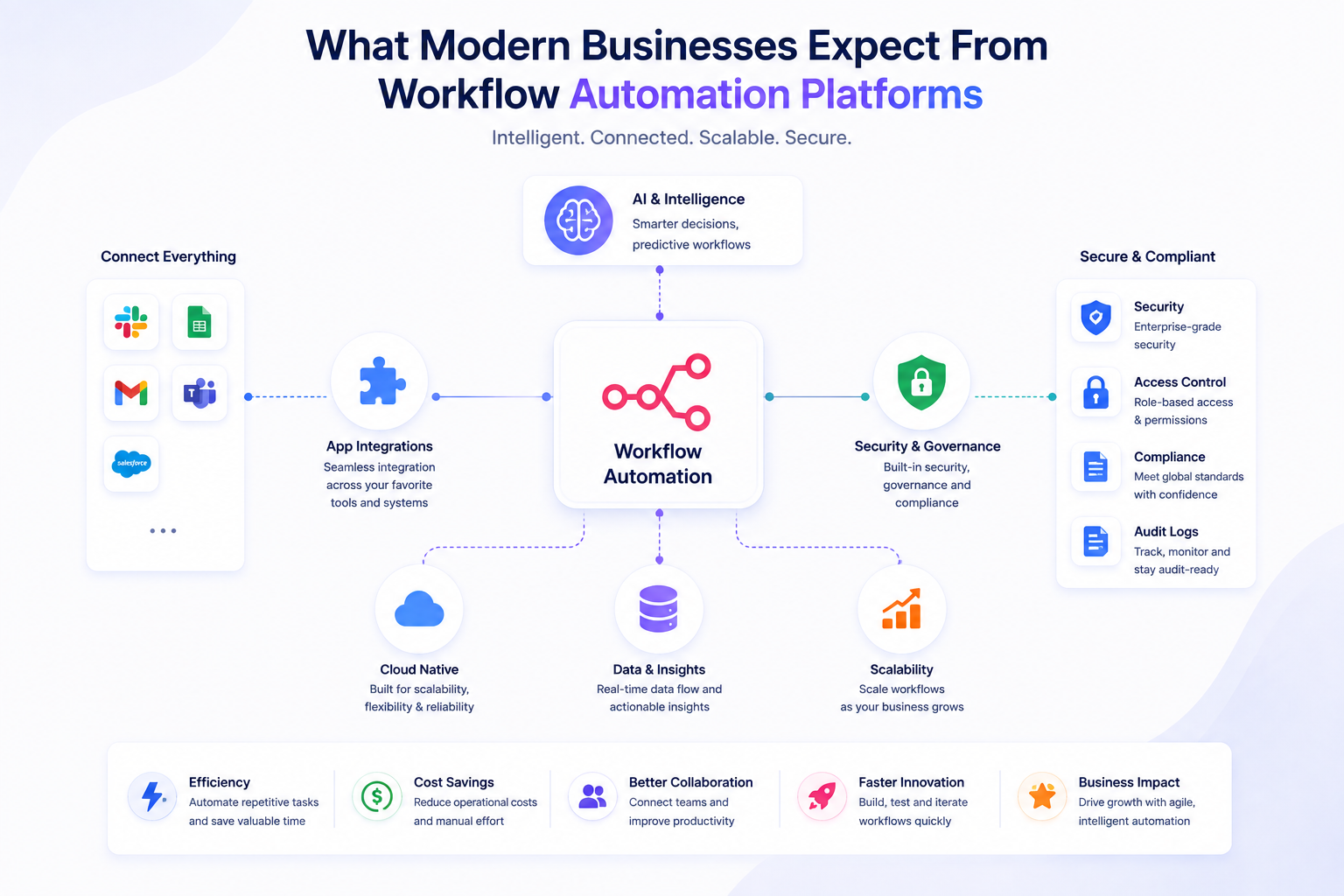
Buyers now check scalability, security, integration flexibility, customization depth, and real automation cost before committing budget. This broader category is often called iPaaS, short for integration platform as a service, and it covers any tool connecting enterprise applications at scale. The n8n vs Zapier debate really lives inside this bigger question of what your business needs an iPaaS to actually do for you.
n8n vs Zapier vs Make: Quick Comparison Overview
Feature Comparison Table: n8n vs Zapier vs Make
A side by side view makes the differences obvious faster than any product page will.
|
Criteria |
n8n |
Zapier |
Make |
|
Automation Approach |
Node based automation |
Trigger action automation |
Visual scenario automation |
|
Integrations |
1,000+ native, unlimited via API |
8,000+ integrations |
1,500 to 2,000+ integrations |
|
Pricing Model |
Execution based, cloud or self-hosted |
Task-based pricing |
Operation based pricing |
|
Hosting |
Cloud plus self-hosted |
Cloud only |
Cloud only |
|
Customization |
High |
Medium |
Medium to high |
This table is where most people start their n8n vs Zapier search, but the table alone never tells you which tool fits your actual team.
Which Tool Matches Different Business Requirements
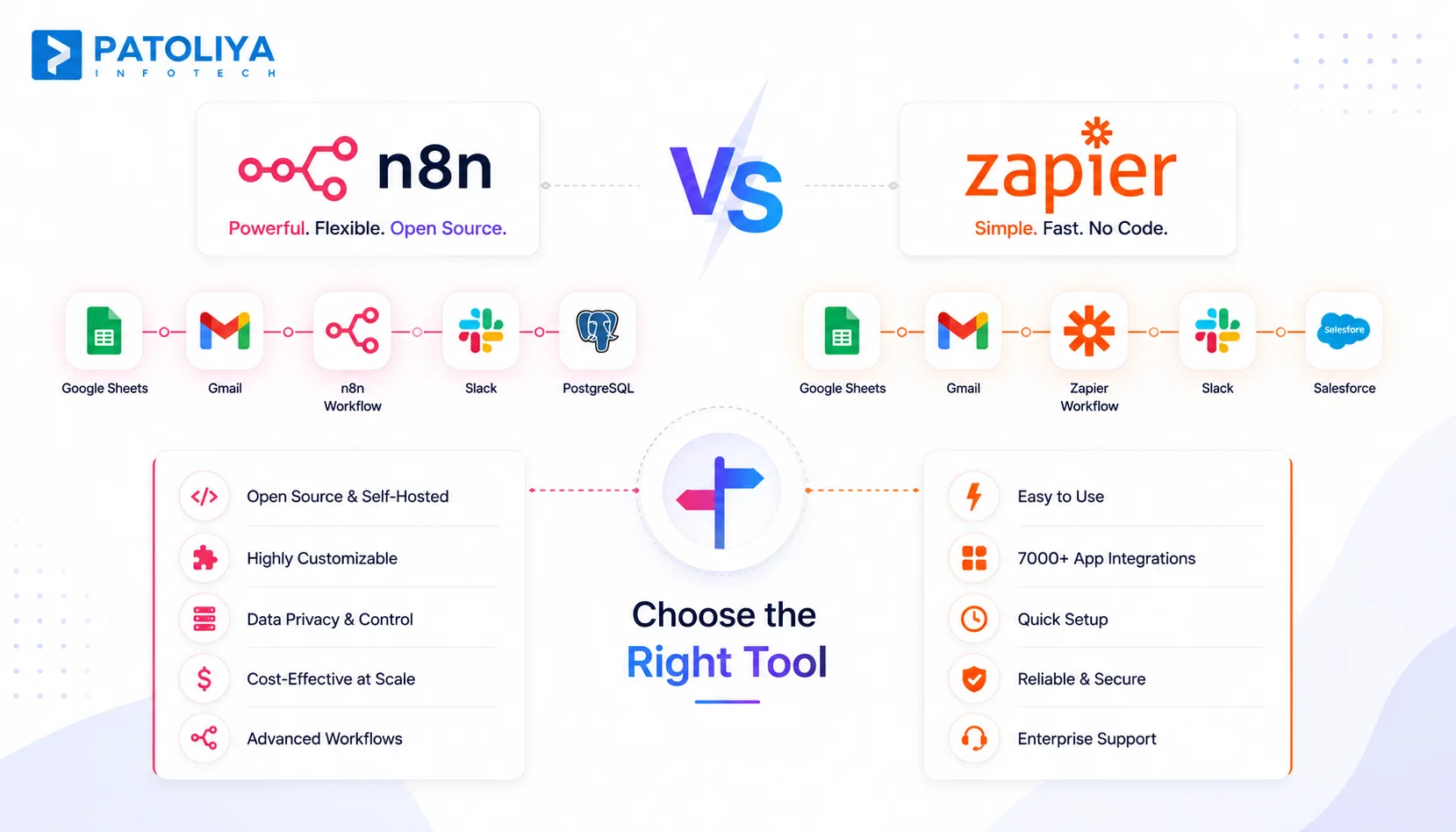
Zapier suits teams that want simplicity above everything else, especially when nobody on staff writes code. Make fits businesses managing visual, multi-step workflows with branching logic that a simple trigger chain cannot handle. n8n fits technical teams that need flexibility, AI workflows, and the option to self host everything on their own servers.
AI Agents in n8n vs Zapier vs Make: The 2026 Automation Battle
n8n AI Workflows, LangChain Integration, and Advanced AI Nodes
- n8n built native LangChain support directly into its canvas, giving engineers real control over how an AI agent remembers context and calls tools.
- Custom LLM connections work without workarounds, since every node accepts raw code when the built in options run short.
- This developer focused flexibility is why technical teams keep landing on n8n once n8n vs Zapier conversations shift toward AI agents specifically. No other platform in this comparison hands engineers this much control over agent behavior.
Zapier Agents and AI Copilot Capabilities
- Zapier took a different route with AI Copilot, which builds a working automation from a plain English description typed by anyone on the team.
- Business users without technical backgrounds get access to AI assistance immediately, and Zapier's massive integration ecosystem means those agents connect to nearly any tool the company already runs.
- This accessibility is Zapier's real advantage in the AI race, even when the underlying agent logic stays simpler than n8n's.
Make AI Agents and Visual Automation Intelligence
- In n8n vs Zapier vs Make evaluations, Make added AI-assisted scenario building on top of its existing visual canvas, helping non-technical users design more complex automations faster.
- The visual approach makes AI logic easier to follow at a glance, which suits operations teams who think in diagrams.
- Its agent builder still trails n8n and Zapier in maturity, so teams betting heavily on autonomous AI workflows today should treat Make as the platform still catching up.
n8n vs Zapier: Detailed Platform Comparison
Workflow Building and Automation Flexibility
n8n's node based automation approach lets every step run custom logic, conditional branches, and inline scripting without leaving the canvas.
Zapier keeps a strict linear structure, trigger then action, with Paths handling basic conditions. Complex workflows with loops or dynamic branching favor n8n every time, while simple three step chains still build faster on Zapier.
Integration Capabilities and API Flexibility
Zapier ships with 8,000+ integrations, the widest integration platform comparison advantage of the three. In n8n vs Zapier, n8n covers roughly 1,000 native connectors but removes the ceiling entirely through its HTTP request node, which reaches any service with a public API.
Teams running niche or legacy internal tools often end up building custom connectors in n8n regardless of which platform they started with.
Self-Hosted vs Cloud Deployment
Self-hosted vs cloud deployment is one of the biggest differences in n8n vs Zapier. n8n runs on your own infrastructure, keeping customer data inside your walls the whole time.
Zapier and Make stay cloud only, which removes maintenance work but hands data control to a third-party vendor by default.
Pricing Comparison and Automation Cost
This pricing comparison shifts hard once execution volume grows. In n8n vs Zapier, Zapier charges per task, so a ten step workflow burns ten times the tasks of a single step one.
n8n charges per execution regardless of step count, which keeps automation cost flat even as workflow complexity increases month over month.
Real Cost at Scale: Total Cost of Ownership Comparison
Modeling the Same Workflow Across n8n, Zapier, and Make
Picture one workflow running 10,000 times a month, ten steps long, pulling data through a CRM, a database, and a notification tool.
On Zapier, that workflow generates 100,000 billed tasks monthly, pushing the account into a high enterprise tier fast.
On n8n, the same workflow generates 10,000 billed executions, keeping monthly cost far lower even at that volume.
Make lands between the two, since it bills per operation rather than per full step chain.
Hidden Costs Businesses Often Ignore
Premium connectors, extra user seats, and automation overages quietly inflate monthly bills on every cloud platform in this comparison.
In n8n vs Zapier, Self-hosting n8n removes per task charges but adds server, storage, and maintenance expenses your team has to plan for directly. A workflow that fails and retries three times on Zapier burns three times the tasks, while n8n counts only the successful run once the logic gets fixed.
n8n vs Zapier vs Make: Strengths and Limitations
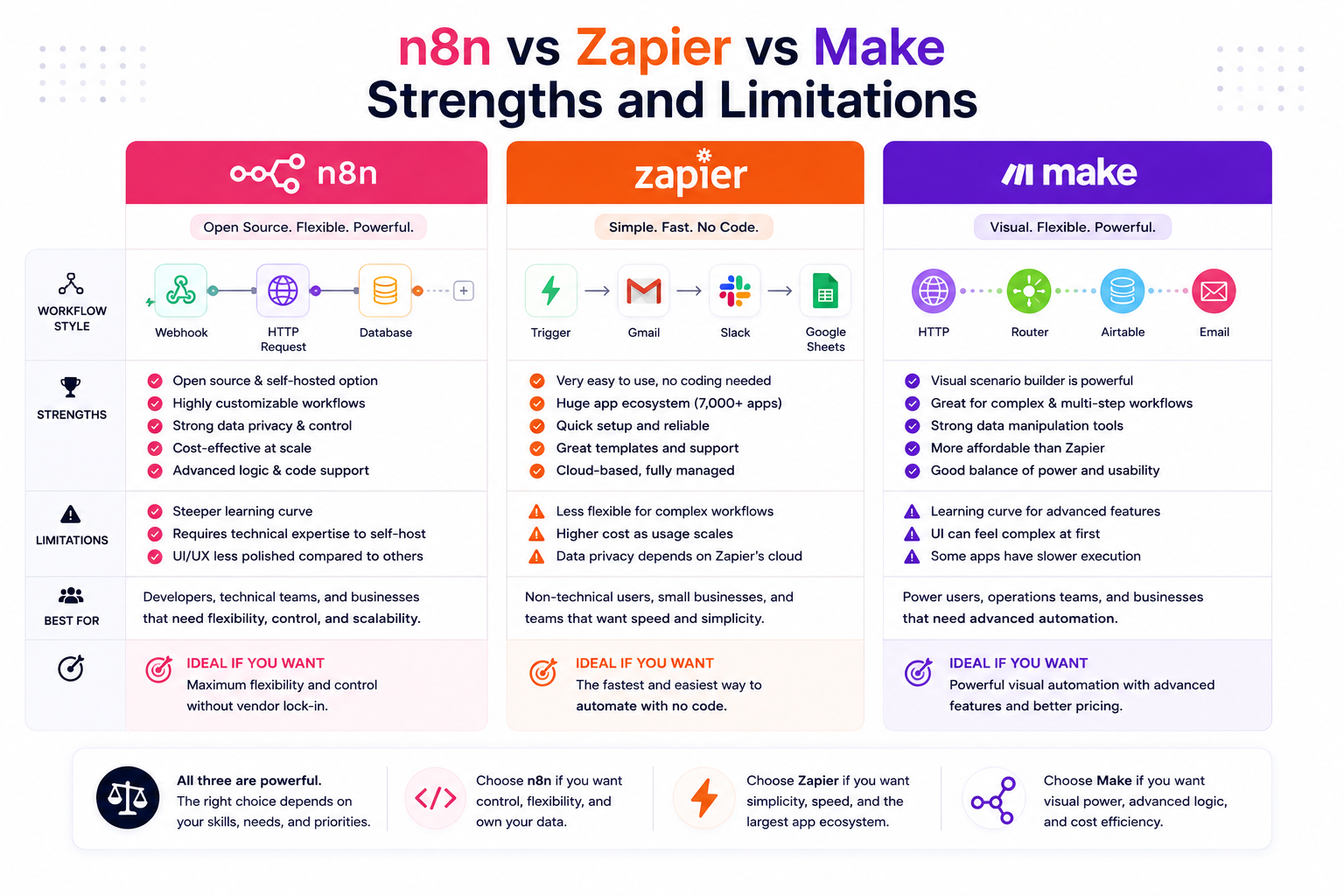
Where Zapier Performs Better
Zapier wins on the largest integration marketplace of the three platforms, plus a genuinely beginner friendly setup experience. A non-technical employee builds a working automation in minutes without any training. Deployment speed is Zapier's clearest advantage over both competitors.
Where Make Stands Out
Make handles complex visual workflows with more control than Zapier's linear format allows. Multi-step scenarios with several branches stay easy to follow on Make's canvas. For certain high-volume use cases, Make also proves more cost efficient than Zapier once task counts climb.
Where n8n Has an Advantage
In n8n vs Zapier, n8n's open source foundation gives full ownership over logic, data, and infrastructure. Self-hosting removes vendor dependency entirely, and advanced workflow customization runs deeper here than on either competitor.
Teams building serious AI automation capabilities consistently land back on n8n once they hit the limits of point and click tools.
Switching Platforms: What Breaks During Migration?
Moving From Zapier to n8n: What Needs Rebuilding
Zaps do not import into n8n automatically, so in n8n vs Zapier migrations every workflow must be rebuilt node by node from scratch.
Connector replacement takes real time too, since n8n's native integrations rarely match Zapier's app list one for one. Data mapping and full testing across every workflow branch usually take longer than teams originally budget for.
Migrating Between Make, Zapier, and n8n Challenges
In n8n vs Zapier vs Make migrations, Different automation logic across these three platforms means scenarios rarely translate cleanly during a switch. Make's routers and n8n's branching nodes work differently enough that direct copy paste conversion never fully works.
Add a genuine learning curve on the receiving platform, plus ongoing maintenance during the transition period, and migration becomes a real project rather than a weekend task.
Compliance and Governance: Choosing Beyond Features
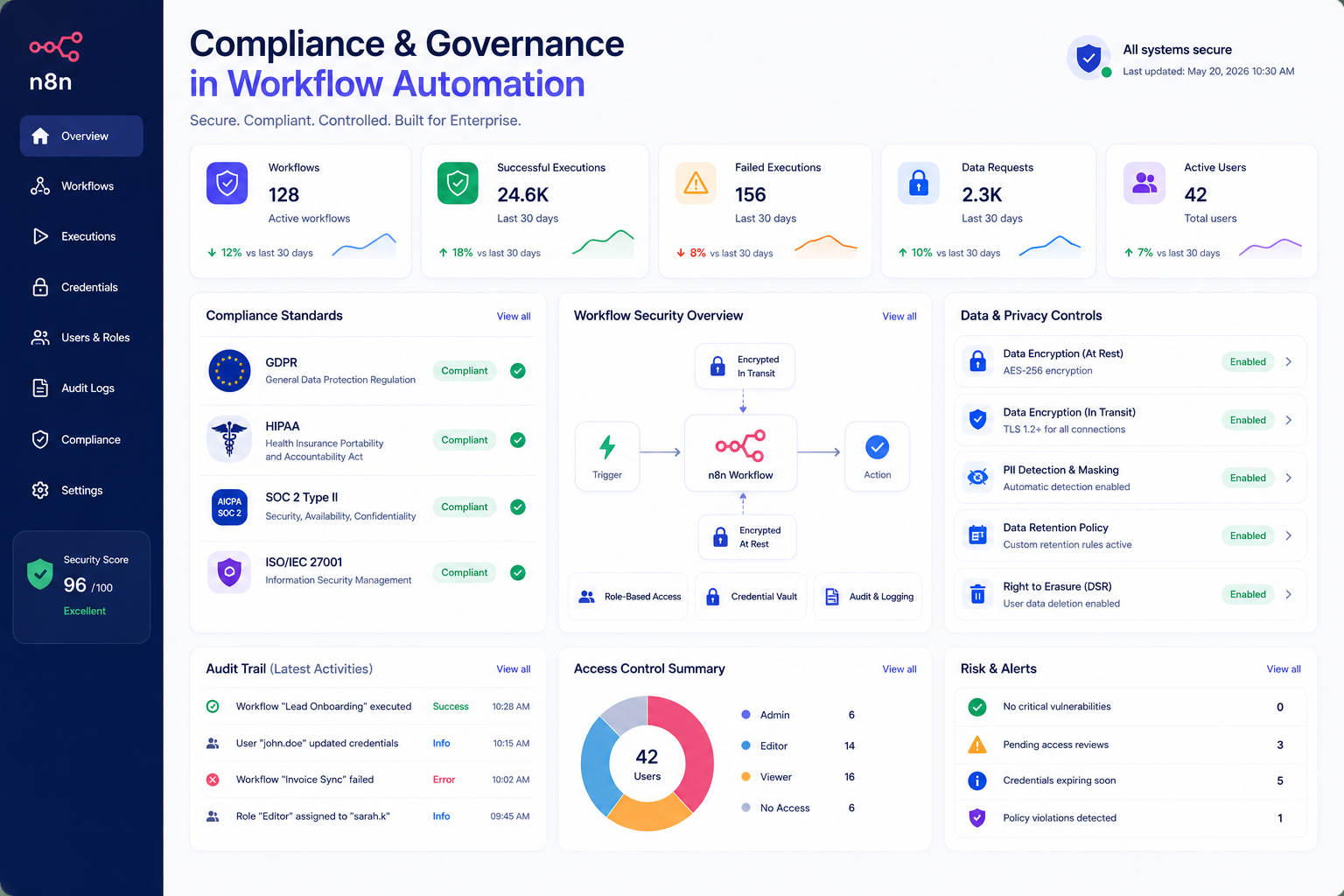
Security, Compliance, and Enterprise Readiness
Zapier and Make both maintain SOC 2 reporting and support GDPR-compliant data processing for standard business use.
HIPAA coverage requires a signed agreement available only on higher-tier plans, not entry-level subscriptions. In n8n vs Zapier, Data handling practices become increasingly important when businesses operate under strict regulatory requirements.
Data Residency and Self-Hosting Requirements
Self-hosting becomes critical for regulated industries like healthcare and finance, where data may need to remain within a specific region or server environment. Internal governance teams often require complete visibility into data movement, storage, and access controls.
With self-hosted automation, security ownership shifts to your team, giving enterprises greater control over infrastructure, compliance, and data privacy compared to relying on shared vendor environments.
How to Choose the Best Workflow Automation Tool for Your Business
Choosing Based on Business Size and Technical Requirements
For small teams, n8n vs Zapier often comes down to speed and simplicity, making Zapier a practical starting point, while Make is another strong option for visual automation. Growing businesses need flexibility and scalability as workflows multiply across departments, which is where Make often earns its place.
Enterprises need security, governance, and deep customization, and that combination consistently points toward n8n as the best workflow automation tool for that stage.
Weighted Decision Scoring Matrix
Score every platform from one to five in each category below, then weight the result based on what actually matters to your business.
|
Criteria |
Weight |
|
Ease of Use |
20% |
|
Scalability |
25% |
|
Security |
20% |
|
Cost Efficiency |
20% |
|
Customization |
15% |
Run your team's real priorities through this matrix before signing any contract. In n8n vs Zapier, a company that weights ease of use the most lands on Zapier almost every time, while one that weights scalability and security lands on n8n.
This is how a decision on the best workflow automation tool should be made, with numbers on paper rather than a gut feeling from a sales demo.
When Custom Workflow Automation Makes More Sense Than SaaS Tools
Growing workflow complexity, rising automation costs, and limited customization are key signs your workflow automation platform can no longer support your business needs.
Evaluating ROI Before Building Custom Automation
Operational savings from a custom build only show up once execution volume justifies the upfront engineering cost.
Productivity improvement and reduced manual work matter, but calculate the real payback period before committing budget.
Long-term scalability wins the argument for custom automation once your current platform's monthly bill exceeds what an internal build would cost within eighteen months.
Future of Workflow Automation: What Businesses Should Prepare For
AI Agents and Autonomous Business Workflows
- AI-driven decision systems are moving beyond experimental use cases and becoming core capabilities in modern automation platforms.
- Autonomous workflows can analyze real-time data, make decisions, and adapt processes without relying only on predefined rules.
- Businesses are shifting from simple task automation toward intelligent workflows powered by AI agents, machine learning, and connected systems.
- Future automation platforms will focus on creating workflows that continuously learn, optimize, and respond to changing business conditions.
Why Automation Infrastructure Becomes a Competitive Advantage
Faster operations translate directly into better customer experience and more business agility during periods of rapid change. In n8n vs Zapier, Companies that choose the right platform now avoid the painful rebuild competitors face two or three years down the road.
Conclusion
The right automation platform should not only solve today’s workflow challenges but also support where your business is heading tomorrow.
In n8n vs Zapier, Zapier leads with simplicity and rapid deployment; Make stands out for visual workflow complexity, while n8n delivers advanced flexibility, AI automation capabilities, and complete control through self-hosting. When selecting the best workflow automation tool, businesses should evaluate scalability, security, integration needs, and long-term automation cost.
For organizations with complex processes, unique requirements, or growing automation demands, a custom workflow solution may provide greater value and adaptability over time. Choose the approach that supports where your business is going next.
FAQs:
n8n wins in n8n vs Zapier comparisons for enterprises needing customization, self-hosting, and advanced workflow control across sensitive systems. Zapier wins for enterprises prioritizing speed and simpler cloud-based automation. The right answer depends on your security requirements and available engineering talent.
n8n typically costs less at high volume, since execution based pricing stays flat regardless of workflow complexity. Zapier and Make both charge more as task or operation counts climb, especially once automation volume scales past a few thousand runs monthly.
Choose self hosted automation when compliance, data residency, or internal security policy demands full infrastructure control. Choose cloud automation when your team wants zero maintenance overhead and faster initial setup. Company size and regulatory exposure usually decide this for you.
Invest in custom automation once monthly platform costs exceed what an internal build would cost within eighteen months. In n8n vs Zapier evaluations, Advanced AI workflows, enterprise security needs, and integrations not supported by any standard SaaS platform are the clearest signals it's time.