n8n Security Vulnerabilities: Enterprise Security Guide
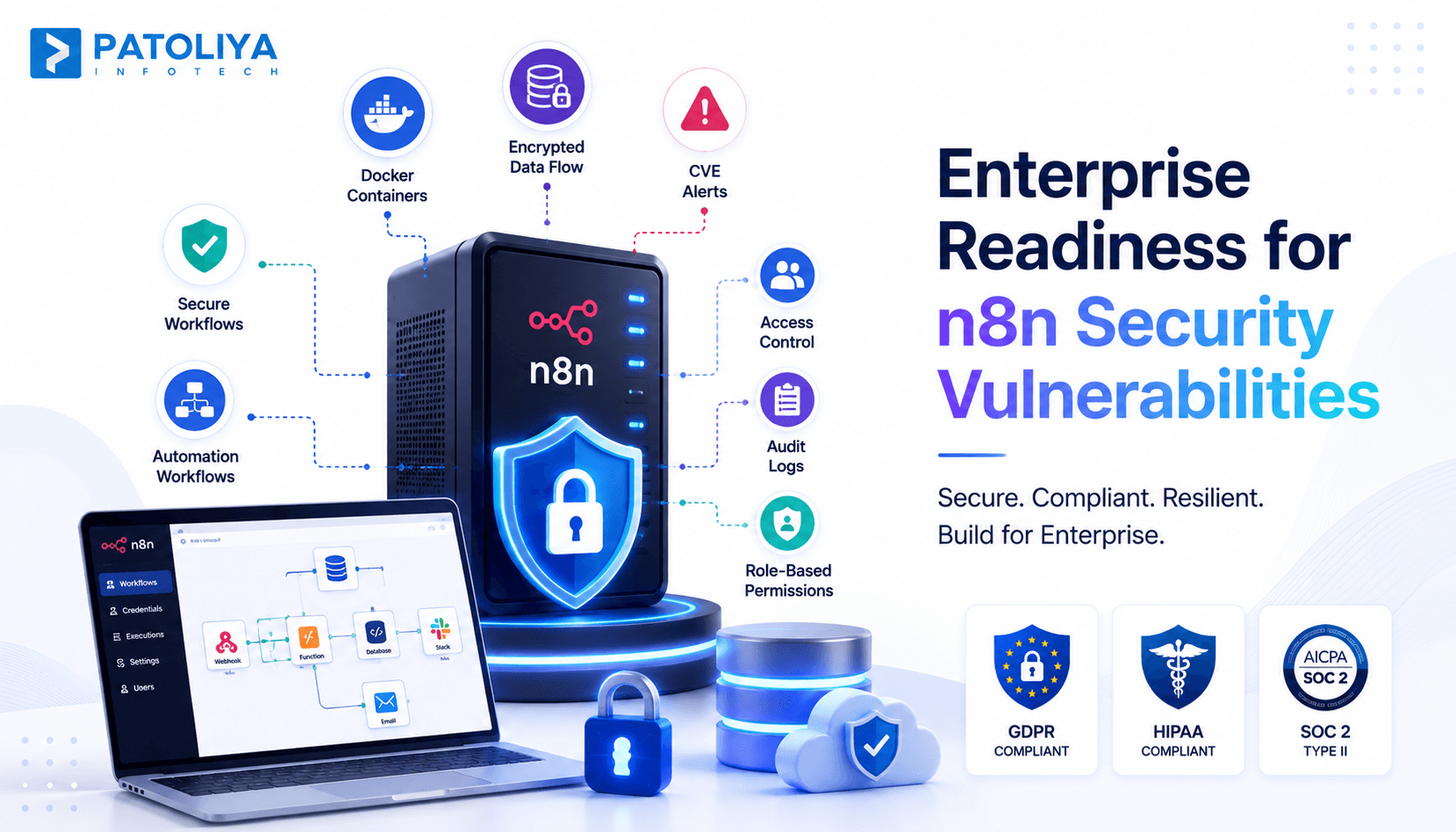
TL;DR: Self-hosted n8n gives teams full control over automation, but that control comes with real security responsibility. Unpatched instances have exposed companies to n8n security vulnerabilities, including remote code execution flaws that An experienced let attackers run commands on the server. Businesses that patch fast and lock down credentials avoid almost every reported incident.
Most teams self-host n8n for control, not for security. That single decision shifts every patch, every credential, and every open port onto your own team. Security researchers have logged multiple n8n security vulnerabilities in community node packages over the past two years, several rated high severity.
This guide explains where those risks come from, what has actually gone wrong in real deployments, and how a properly configured self-hosted n8n security setup closes the gap.
Why Businesses Are Choosing Self-Hosted n8n
Self-hosted n8n gives finance, healthcare, and SaaS teams full ownership of their automation data instead of routing it through a third party server. That ownership is exactly why n8n security vulnerabilities deserve more attention here than on any managed platform.
Companies pick self-hosting for three concrete reasons.
- Data ownership: Data never leaves infrastructure they control, which matters for regulated industries running data privacy automation across customer records.
- Cost control: Self-hosting removes per execution pricing, so teams running thousands of workflows a day save real budget.
- Flexibility: Custom nodes and internal API connections are far easier to build when you own the server, though that flexibility is exactly what makes n8n security vulnerabilities worth planning for early.
Control and savings are real, but they come with the full weight of security ownership that a managed vendor would otherwise carry.
None of this comes free. A managed cloud provider patches its own platform. A self-hosted n8n security program is entirely the customer's job, from container hardening to certificate renewal. Teams that treat this as "set it up once and forget it" are the ones that show up in breach reports a year later.
Here's what actually works: businesses that succeed with self-hosted n8n treat it like production infrastructure from day one. They assign a named owner for patching and monitoring before the first workflow goes live. That single decision prevents most of the n8n security vulnerabilities discussed later in this guide from ever becoming incidents.
Understanding the Security Model of Self-Hosted n8n
The security model of self-hosted n8n security rests on four layers: workflow execution, credential storage, authentication, and the infrastructure running the container. A weakness in any single layer can expose the entire automation stack to attackers.
How n8n Executes Workflows
n8n runs each workflow as code inside its own execution environment, calling external APIs, databases, and internal services on command. That execution model is powerful precisely because it can reach anything your server can reach.
If an attacker injects malicious code into a workflow, n8n will execute it with the same privileges as the rest of your automation, which is how many n8n security vulnerabilities escalate from a small bug into full server compromise.
Where Credentials and Secrets Are Stored
n8n stores connected credentials in an encrypted database using a key generated at setup. Losing that encryption key, or storing it in plain environment variables without protection, hands an attacker every connected account in one move.
Proper credential management treats that key with the same seriousness as a root password, since a leaked key is one of the fastest routes to serious n8n security vulnerabilities.
Authentication, APIs, and Webhooks
Every self-hosted instance exposes a login screen, a REST API, and often public webhook URLs for triggering workflows. Each entry point is a potential door if authentication is weak or webhook URLs are guessable.

This trio is where most real world n8n security vulnerabilities actually get discovered by security researchers, which is exactly why each entry point needs its own dedicated review.
Why Secure Deployment Matters from Day One
A secure deployment locks down these four layers before the first production workflow runs, not after an incident. Teams that configure encryption keys, authentication, and network rules on day one rarely appear in later CVE reports tied to n8n security vulnerabilities.
Common Security Risks Every Team Should Understand
Self-hosted n8n security faces five recurring risk categories, and every single one has led to a real disclosed incident somewhere in the n8n ecosystem. Knowing these categories before deployment turns abstract n8n security vulnerabilities into a concrete checklist your team can act on.
|
Risk Category |
What It Looks Like |
Business Impact |
|
Weak Authentication |
Default passwords, no MFA on admin accounts |
Fast, easy unauthorized access |
|
Outdated Instances |
Known CVEs left unpatched for weeks or months |
Public exploits become active threats |
|
Misconfigured Containers |
Root containers, open management ports |
Single compromise reaches the full server |
|
Credential Exposure |
Hardcoded API keys, unencrypted backups |
Account takeover across every connected service |
|
Third-Party Integrations |
Unreviewed community nodes installed directly |
Malicious or buggy code runs with full privileges |
Every row in this table has caused a real disclosed incident somewhere in the n8n ecosystem. None of these risks are hypothetical.
Weak Authentication and Unauthorized Access
Default admin passwords and missing two factor authentication remain the single fastest way into a self-hosted instance. Attackers scan the internet constantly for exposed n8n login pages with default credentials still active, and weak login rules are behind a large share of reported n8n security vulnerabilities.
Outdated Instances and Known CVEs
Every month an unpatched instance stays online, its exposure to disclosed n8n security vulnerabilities grows. Security advisories are published publicly, which means attackers read them the same day defenders do.
Misconfigured Containers and Infrastructure
Docker containers running as root, open management ports, and missing network segmentation turn a single compromised workflow into full server access.
Infrastructure hardening closes this gap and removes one of the most common n8n security vulnerabilities found in production audits.
Credential Exposure and Secret Leakage
Hardcoded API keys inside workflow nodes, unencrypted backups, and shared admin accounts are the most common way credentials leak from n8n deployments in practice. Proper credential management removes almost all of this risk.
Risks from Third Party Integrations
Community nodes are built by independent developers, not the core n8n team, and some have shipped with unreviewed code. Vetting every community node before installation is now standard practice for teams that take n8n security vulnerabilities seriously.
Critical n8n Security Vulnerabilities That Have Affected Deployments
Why Security Advisories and CVEs Matter
Public advisories document confirmed n8n security vulnerabilities, including path traversal issues and multiple community node flaws disclosed over the past two years.
Each advisory includes a severity score, an affected version range, and a fixed release. Teams that subscribe to these advisories patch within days. Teams that do not find out only after an attacker already has.
Real Security Threats in Self-Hosted n8n Environments
Remote Code Execution (RCE) Vulnerabilities
- Remote code execution is the most severe category of n8n security vulnerabilities because it hands an attacker the ability to run arbitrary commands on your server.
- Several disclosed advisories in the n8n ecosystem involved code execution through unsanitized inputs in custom function nodes.
- Once RCE succeeds, an attacker can read every connected credential, pivot to internal systems, and exfiltrate data.
- This is why disabling unrestricted code node access for non-admin users is one of the highest impact changes a team can make.
Important: If your team has never restricted who can create or edit code nodes, this is the single highest priority fix in this entire guide.
Authentication and Authorization Issues
- Weak session management and missing role separation let low-privilege users perform admin actions in some misconfigured instances.
- Locking down role-based access control prevents one compromised account from controlling the entire workflow environment, closing a gap that shows up repeatedly across disclosed n8n security vulnerabilities.
Vulnerabilities in Community Nodes
- Community built nodes install directly into your n8n instance with full execution privileges, and not every package receives ongoing security review.
- A single malicious or poorly coded community node can introduce n8n security vulnerabilities that core n8n itself never had.
Credential Management Weaknesses

- Poor credential management shows up as reused encryption keys across environments, credentials copied into workflow notes, or backups stored without encryption.
- Each of these mistakes turns a minor breach into full account takeover across every connected service.
- Rotating encryption keys and auditing stored credentials quarterly closes most of this exposure and prevents a large share of avoidable n8n security vulnerabilities.
Webhook and API Abuse
- Public webhook endpoints without authentication tokens let anyone who finds the URL trigger workflows on demand.
- Rate limiting, signed payloads, and IP allowlisting turn an open webhook into a controlled entry point rather than an easy path toward more n8n security vulnerabilities.
Lessons from Past CVEs
- Every disclosed CVE tied to n8n shares one pattern: the fix existed before the exploit went public, and only the unpatched instances got hit.
- Subscribing to advisories and patching within a defined window is the single habit that prevents repeat n8n security vulnerabilities.
Security Best Practices for Self-Hosted n8n
Implement Strong Credential Management
Store the encryption key outside the application container, rotate it on a fixed schedule, and never reuse it across staging and production.
Strong credential management is the single highest return security investment for self-hosted n8n security.
Secure Webhooks and API Endpoints
Require authentication tokens on every webhook, validate payload signatures, and rate limit incoming requests to stop abuse before it starts.
Treat every public URL as a target, because attackers scan for exposed endpoints continuously, and this single habit strengthens self-hosted n8n security more than most teams expect.
Harden Docker and Kubernetes Deployments
Run containers as a non root user, restrict outbound network access to only required services, and apply resource limits to contain runaway processes. A hardened, secure deployment stops a single compromised container from reaching the rest of your infrastructure.
Enable Encryption for Data in Transit and at Rest
Force HTTPS on every connection, encrypt the underlying database, and encrypt backup files before they leave the server. Skipping encryption at rest is one of the fastest paths to a disclosed breach involving n8n security vulnerabilities.
Patch Management and Continuous Updates
Subscribe to n8n's release notes and GitHub advisories, and apply security patches within a defined window measured in days. Teams running self-hosted n8n security programs with a fixed patch cadence report far fewer incidents.
Logging, Monitoring, and Incident Detection
Centralize logs from the n8n instance, the container host, and the reverse proxy so unusual access patterns surface immediately. Alert on failed logins, new webhook calls from unknown IPs, and unexpected outbound traffic, since early detection is what separates a contained incident from a headline about new n8n security vulnerabilities.
Quick reference: six practices, six outcomes
|
Practice |
Core Action |
What It Prevents |
|
Credential Management |
Rotate encryption keys, isolate per environment |
Account takeover across services |
|
Webhook Security |
Require tokens, validate signatures, rate limit |
Unauthorized workflow triggers |
|
Container Hardening |
Non root user, restricted outbound access |
Full server compromise |
|
Encryption |
HTTPS, encrypted database, encrypted backups |
Data exposure at rest and in transit |
|
Patch Management |
Subscribe to advisories, patch within days |
Known CVEs turning into breaches |
|
Logging and Monitoring |
Centralized logs, alerts on anomalies |
Delayed incident detection |
Skipping any one row in this table does not make the others less useful. Each practice closes a door an attacker would otherwise use.
Building a Compliance Ready n8n Environment
Protecting Sensitive Data in Automated Workflows: Automated workflows often move personal data between systems without a human reviewing every record.
Masking sensitive fields and limiting data retention inside workflows is core to responsible data privacy automation, and it is a baseline expectation for any self-hosted n8n security program handling regulated data.

Audit Logging and Access Controls: Every workflow change, credential access, and admin login needs a permanent audit trail tied to a named user.
Auditors ask for this evidence first, and instances without it fail reviews immediately, regardless of how many n8n security vulnerabilities have already been patched elsewhere.
Supporting GDPR, HIPAA, and SOC 2 Requirements: Meeting GDPR, HIPAA, or SOC 2 requirements demands documented access controls, encryption, and data handling policies around every workflow.
A compliant self-hosted n8n security setup treats these frameworks as design requirements, not paperwork added afterward.
Compliance Automation Through Secure Workflow Design: Building approval steps, data masking, and retention rules directly into workflows turns compliance automation into a built in property of the system, which also lowers the odds of unnoticed n8n security vulnerabilities surfacing during an audit.
Executive Checklist Before Deploying Self-Hosted n8n
Is Your Infrastructure Security Ready?
Confirm network segmentation, container hardening, and encryption are configured before any production workflow goes live. Skipping this step is the leading cause of preventable n8n security vulnerabilities.
Who Owns Security Monitoring and Incident Response?
Assign a named owner for monitoring alerts and responding to incidents within a defined time window. Without a clear owner, alerts sit unread until an attacker forces the issue, and unmonitored n8n security vulnerabilities rarely stay theoretical for long.
Can Your Team Manage Ongoing CVEs and Updates?
Confirm someone on the team subscribes to advisories and has authority to apply patches without lengthy approval delays. Teams without this capacity end up carrying unpatched n8n security vulnerabilities for months and should not run self-hosted n8n security in production alone.
Does Your Deployment Meet Compliance Requirements?
Map every workflow that touches regulated data against the specific compliance framework your business must meet. Gaps found here before launch are inexpensive. Gaps found during an audit of a live self-hosted n8n security setup cost far more in time and trust.
|
Checklist Question |
Signal You're Ready |
|
Is infrastructure security ready? |
Network segmentation, container hardening, and encryption all configured |
|
Who owns monitoring and response? |
A named owner assigned before the first workflow launches |
|
Can you manage ongoing CVEs? |
Team subscribed to advisories with authority to patch fast |
|
Does the deployment meet compliance? |
Every regulated workflow mapped to a named framework |
Why Businesses Partner with Experts for Secure n8n Deployment
Security First Architecture Design
An experienced implementation partner designs credential storage, network rules, and access controls before writing the first workflow. That sequencing alone prevents most n8n security vulnerabilities teams from discovering the hard way, since fixing n8n security vulnerabilities after launch always costs more than designing around them upfront.
Confirm network segmentation, container hardening, and encryption are configured before any production workflow goes live. Secure Deployment and Infrastructure Hardening
A proper secure deployment covers container hardening, encrypted storage, and network segmentation configured correctly the first time.
Rebuilding this after launch costs far more than doing it right at the start, and it closes the door on n8n security vulnerabilities that stem from rushed infrastructure decisions.
Continuous Monitoring, Maintenance, and Compliance Support
Ongoing patch management, log monitoring, and compliance documentation require sustained attention that internal teams often cannot maintain alone.
A partner keeps self-hosted n8n security current as new CVEs are disclosed, catching fresh n8n security vulnerabilities before they turn into incidents.
Reducing Business Risk While Accelerating Automation
Businesses that pair expert deployment support with internal ownership ship automation faster and carry fewer disclosed n8n security vulnerabilities over time. Speed and security are not opposites when the foundation is built correctly.
How Patoliya Helps You Secure Self-Hosted n8n Deployments
Patoliya helps businesses deploy and secure self-hosted n8n environments with enterprise-grade security from day one. We identify and eliminate security risks before they impact your automation workflows.
- Hardened Docker deployment with encrypted databases and enforced HTTPS.
- Secure credential management, role-based access controls, and audit logging.
- Continuous CVE monitoring with rapid patch management.
- Compliance support for GDPR, HIPAA, and SOC 2.
Book a 15-minute security review to assess your self-hosted n8n security and receive practical recommendations to keep your workflows secure, compliant, and production-ready.
Conclusion
Self-hosting n8n offers greater flexibility and control, but only when security is built into every stage of deployment. Most n8n security vulnerabilities can be prevented with proactive patching, secure credential management, hardened infrastructure, and continuous monitoring.
By treating security as a foundational requirement rather than an afterthought, businesses can confidently scale their automation without exposing sensitive data or critical workflows. Review your current setup regularly, address security gaps early, and ensure your self-hosted n8n environment remains secure, compliant, and resilient.
FAQs:
Neither option is automatically more secure. A properly managed self-hosted n8n security setup gives you full control but makes you responsible for every patch. At the same time, the cloud version shifts that responsibility and most n8n security vulnerabilities back to n8n directly.
Remote code execution via custom nodes, weak authentication, unpatched CVEs, and unvetted community nodes account for most of the disclosed n8n security vulnerabilities in production deployments.
Restrict code node access to trusted admins, review every community node before installing it, and apply security patches within days of release to close known remote code execution paths and reduce overall n8n security vulnerabilities quickly.
Store the encryption key outside the application container, rotate it on a fixed schedule, and audit stored credentials quarterly as part of ongoing credential management discipline.
Yes, when access controls, audit logging, and encryption are configured correctly, self-hosted n8n security can meet GDPR, HIPAA, and SOC 2 documentation requirements without leaving common n8n security vulnerabilities unaddressed.
Use a partner when your team lacks dedicated security staff to monitor CVEs, patch quickly, and address emerging n8n security vulnerabilities while maintaining a compliant self-hosted n8n security posture and steady automation delivery.