Cursor vs GitHub Copilot: Cost, Security and ROI
 By Hitesh SUpdated on: 10/30/2610 min read
TLDR: In the Cursor vs GitHub Copilot vs Claude Code decision, workflow fit matters more than raw code quality. Cursor suits teams who want an AI-first editor, Copilot suits GitHub centered teams, and Claude Code suits teams delegating repo level tasks. Pilot before buying AI coding assistants for enterprise use.
Every engineering leader has seen AI write a feature in seconds. The real test comes when that code reaches review, touches regulated repositories, and adds to the software budget.
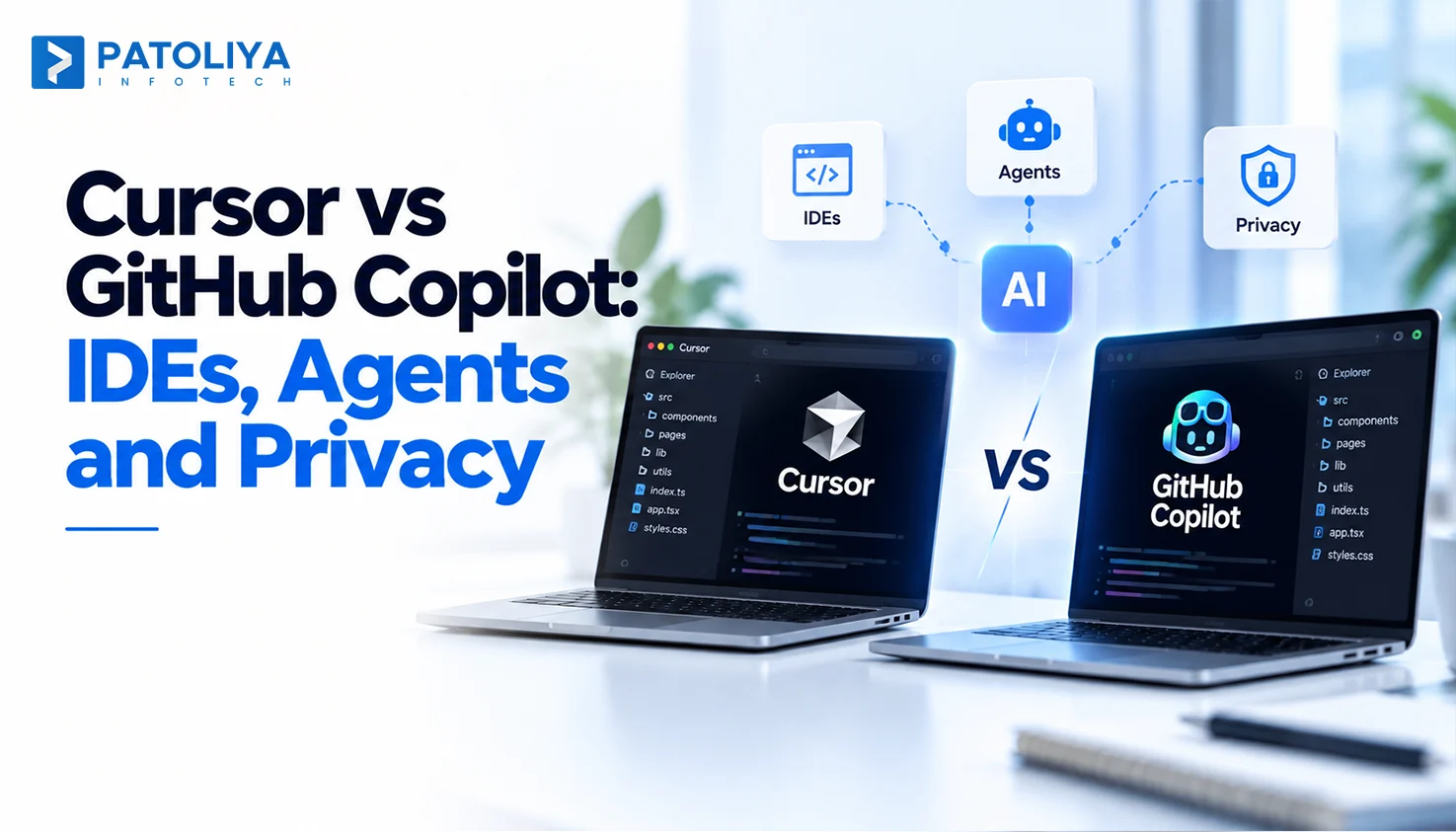
This Cursor vs GitHub Copilot comparison includes Claude Code to help engineering leaders evaluate how each tool fits existing workflows, security requirements, and delivery goals before making an enterprise-wide decision.
Cursor vs GitHub Copilot vs Claude Code: Which AI Coding Tool Fits Your Team?
Most AI coding assistants look similar during a short trial, but AI coding assistants for enterprise demand deeper evaluation.
This Cursor vs GitHub Copilot comparison assesses all three tools across five criteria: workflow fit, repository context, security, seat pricing, and governance.
These factors help engineering leaders choose the right tool and establish a measurable rollout plan for long-term success.
Cursor vs GitHub Copilot vs Claude Code: Features, Pricing and Enterprise Fit
IDE Integration and AI Pair Programming
The first Cursor vs GitHub Copilot test is simple: where do your developers spend their day? Cursor asks them to move into its editor. It’s a VS Code fork, so extensions mostly carry over, and AI sits everywhere: completions, chat, and edits across many files.
Copilot’s IDE integration covers VS Code, JetBrains, Visual Studio, and more, so nobody switches editors. For teams already doing AI pair programming in JetBrains, that alone often settles the Cursor vs GitHub Copilot question. Claude Code starts in the terminal and adds IDE extensions on top.
Agentic Coding, Context Windows and Codebase Understanding
All three run agents that read files, run commands, and fix failing tests. Cursor’s agent works well inside the editor on focused changes. Copilot’s coding agent can take a GitHub issue and open a pull request. Claude Code leans toward long, repo-wide tasks like migrations and refactors.
Ignore the headline context window size. What matters is whether the tool finds the right five files in a 2 million line repo and runs your tests before it claims success. In every Cursor vs GitHub Copilot pilot we run, retrieval decides the winner.
Enterprise Pricing, Seat Management and Usage Costs

Pricing is where finance teams get surprised. All three mix seat pricing with usage charges, and usage is the line that moves.
GitHub Copilot: separate Business and Enterprise seats, each with a monthly allowance of premium requests, plus paid overage.
Cursor: Teams and Enterprise seats with included usage, then usage based billing for heavy model use.
Claude Code: premium seats on Claude Team or Enterprise plans, or pay as you go through the API.
Budget for your heaviest 20% of users, since agents burn more usage than autocomplete. Any Cursor vs GitHub Copilot cost model that only counts seats is wrong by month two.
Code Privacy, Security and Compliance
Every vendor will say your code is safe, but ask them to prove it in writing. Check whether each plan tier excludes your code from model training and confirms this contractually. Verify how long prompts and code are retained and whether zero retention is available.
Confirm admins can enforce SSO, restrict repositories, and access audit logs. Finally, request a current SOC 2 Type II report. For regulated teams, code privacy often decides the Cursor vs GitHub Copilot debate before developers vote.
Here’s the short version of the Cursor vs GitHub Copilot vs Claude Code comparison for AI coding assistants for enterprise buyers.
|
Tool |
Best fit workflow |
Agent capabilities |
Enterprise controls |
Pricing model |
Key consideration |
|
Cursor |
Teams ready for an AI-first editor. |
Editor agent, multi-file edits, background agents. |
SSO, privacy mode, admin controls. |
Seats plus usage. |
Developers must switch editors. |
|
GitHub Copilot |
GitHub teams using mixed IDEs. |
IDE agent mode, coding agent from issues. |
Policies, content exclusions, audit logs. |
Seats plus premium requests. |
Strongest when code lives on GitHub. |
|
Claude Code |
Teams delegating repo level work. |
Terminal agent that edits and runs tests. |
Managed settings, permission rules, SSO. |
Seats or API usage. |
Needs clear agent permission rules. |
Features narrow the list. In Cursor vs GitHub Copilot decisions, workflow picks the winner.
How to Choose AI Coding Assistants for Enterprise Engineering Workflows
Treat these as starting points. Each tool overlaps the others more every quarter.
Choose Cursor if your developers want AI at the center of the editor and will happily switch tools for it.
Choose GitHub Copilot if your code, issues, and pipelines already live on GitHub, and your team spans VS Code, JetBrains, and Visual Studio.
Choose Claude Code if senior engineers want to hand off whole tasks, like upgrading a framework across 40 services, and review the result.
Plenty of teams run two. One pattern we see often: Copilot for everyone, Cursor for product teams, Claude Code for a small platform group. That makes the Cursor vs GitHub Copilot question less binary than it looks. Good AI coding assistants for enterprise programs allow that mix on purpose.
AI writes code faster than humans can read it. That’s the real risk. A tool that triples pull requests without better review just moves the bottleneck to your senior engineers.
So test quality, beyond speed:
- Do generated tests catch real bugs, or do they just mirror the code?
- Does the tool’s AI code review flag logic errors, or only style?
- Can a new engineer maintain the code six months later?
Pair every assistant with automated checks and AI-assisted software testing. Human review stays mandatory for anything touching auth, payments, or data. Faster typing is a weak proxy for developer productivity. In a Cursor vs GitHub Copilot evaluation, review load matters more than suggestion speed.
Here’s a quick test we use. Give each tool the same five tickets from last sprint, including one ugly legacy bug. Then compare review comments, test results, and rework hours. It’s the most honest Cursor vs GitHub Copilot benchmark you’ll get.
Establish Enterprise Code Privacy and AI Governance

Write the rules before the pilot starts, never after an incident. Your AI coding governance policy should answer:
|
Question |
Example rule |
|
Which tools are approved? |
Two named tools, company accounts only. |
|
Which repos can agents touch? |
Everything except payments and identity. |
|
How do we handle secrets? |
Secret scanning on every AI commit. |
|
What about dependencies? |
License and vulnerability checks before merge. |
|
Who approves big changes? |
A named reviewer for schema, auth, and infra edits. |
Agents need their own rules. Let them read freely, but require approval before they push branches, run migrations, or install packages. Check how each tool in your Cursor vs GitHub Copilot shortlist enforces that.
Then check your real compliance scope. A fintech under PCI DSS needs different controls than a SaaS startup. The NIST Secure Software Development Framework gives a solid baseline. Our AI development governance team helps map AI coding assistants for enterprise use to those rules, whichever Cursor vs GitHub Copilot option you pick.
How to Roll Out AI Coding Tools Across an Engineering Team
A successful AI coding rollout starts with a controlled pilot that tests productivity, code quality, security, and workflow fit before enterprise-wide adoption.
Run a Controlled Pilot Before Enterprise-Wide Adoption
Pick 10 to 20 developers who reflect the real team: a few skeptics, a few enthusiasts, and some people working in legacy code. Give them representative repos and the same task categories, such as bug fixes, small features, test writing, and refactors.
Measure two weeks of baseline first. Without it, every Cursor vs GitHub Copilot result is a guess. Run each tool on the same task mix so the comparison stays fair. Give a fair Cursor vs GitHub Copilot pilot at least four weeks.
Measure Developer Productivity Without Misleading Metrics
Acceptance rate is the metric vendors show first, and it tells you the least. A developer can accept a suggestion and delete it a minute later.
|
Track this |
Treat with caution |
|
Task cycle time, ticket to merge. |
Lines of code generated. |
|
Review rework and reopened PRs. |
Suggestion acceptance rate. |
|
Defect rate after release. |
Number of AI chats. |
|
Test coverage on changed code. |
Self-reported time saved alone. |
|
Developer feedback every two weeks. |
Hours spent in the tool. |
The question is whether shipped work got better or faster, measured against your baseline. Collect feedback anonymously, or developers will tell you what leadership wants to hear. Any Cursor vs GitHub Copilot case built on acceptance rates won’t survive a CFO’s review.
Integrate AI into Code Review, CI/CD and DevOps
AI-assisted changes must follow the same pipeline as other code, with additional safeguards. Require tests and static analysis for every AI-authored PR, at least one human approval, and two for production configuration. Prevent agents from merging or deploying independently, and define a clear rollback path with a named owner for every change.
Label AI authored PRs so you can trace incidents later. Our guide to AI tools for DevOps covers pipeline options, and teams scaling AI-assisted development should treat these gates as permanent. The developer who prompts the change owns the change.
This is where AI coding assistants for enterprise succeed or quietly fail. The Cursor vs GitHub Copilot choice matters less than these gates.
Build a Phased Enterprise Rollout Plan

A staged enterprise rollout keeps cost, quality, and risk visible at every step.
|
Phase |
Focus |
Exit criteria |
|
Planning and Governance |
Define policies, capture baseline metrics, and select pilot team |
Approved tools, signed policy, baseline captured. |
|
Pilot and Evaluation |
Compare tools, refine rules, and expand successful use case |
Clear winner identified for each workflow. |
|
Standardization and Scaling |
Review quality and cost, standardize onboarding, and assess risks. |
Go or no-go decision to scale. |
Use the NIST AI Risk Management Framework to structure risk reviews at each gate. Revisit the Cursor vs GitHub Copilot decision at day 90 with real numbers, since pricing and features shift every quarter. If the rollout exposes deeper process gaps, that’s a signal for broader engineering workflow modernization.
Why Enterprises Trust Patoliya for AI Coding Strategy
Most engineering teams don’t need another AI coding tool. They need to know where AI fits, what it can safely access, and whether it improves delivery without adding operational risk. Patoliya bridges that gap through custom AI software development, connecting AI coding tools with private model registries, internal APIs, CI pipelines, and compliance workflows when off-the-shelf solutions fall short.
Patoliya takes a vendor-neutral approach. We evaluate Cursor vs GitHub Copilot vs Claude Code against your repositories, engineering standards, and security requirements, then help establish governance, measure results, and scale the approach that delivers demonstrable value.
Conclusion
The best AI coding tool is the one that fits how your team already ships, protects your code, survives review, and moves real delivery metrics. Benchmarks change monthly. Your workflow doesn’t.
Treat the Cursor vs GitHub Copilot decision as an engineering program with a baseline, a policy, and a 90 day review. That’s how AI coding assistants for enterprise pay off, and how the Cursor vs GitHub Copilot debate ends with data.
Before committing to AI coding tools, get a clear view of your engineering workflow, security risks, and integration requirements. Patoliya helps you identify the right fit, define a measurable rollout strategy, and make an informed decision before scaling adoption.
FAQs:
Copilot suits GitHub-standardized teams using mixed IDEs. Cursor benefits teams adopting an AI-first editor for deeper multi-file assistance. Compare both using identical tasks and review rework.
Claude Code suits teams delegating migrations and multi-service refactors through the terminal. It can complement Cursor or Copilot, particularly for senior engineers and platform teams with defined permissions.
Yes, with appropriate safeguards. Verify training exclusions, retention policies, SSO, repository restrictions, and security reports. Always confirm protections for the specific plan before purchasing or deploying.
Track ticket-to-merge cycle time, review rework, post-release defects, and test coverage against baseline metrics. Treat acceptance rates and lines of code as secondary indicators, not ROI proof.
A structured rollout typically takes 90 days: establish governance and baselines, pilot and compare tools, then evaluate quality, costs, and risks before deciding whether to scale.